
Best Budget Drawing Tablets for Students: Top Picks for 2026
Read Time:10 Minute, 34 Second
Introduction
Choosing your first drawing tablet as a student or beginner can feel confusing, especially when there are so many options and features to compare. The good news is that you don't need the most expensive tablet to start creating digital art. What matters most is finding a tablet that is easy to use, works well with your computer and creative software, feels comfortable to draw on, and gives you the features you need to learn and grow.
This guide looks at some of the best budget drawing tablets for students in 2026, with a focus on affordable options for learning digital art, illustration, design, and other creative projects. It also highlights DigiDraw models across different price points and creative needs, from beginner-friendly pen tablets to more advanced options for students looking to grow their skills. DigiDraw is a creative technology brand developed by Turing Creative Technology (Shenzhen) Co., Ltd., with product development supported by experienced professionals in digital input technology, engineering, and pen-tablet development.
Key Buying Factors for Budget Drawing Tablets
Pressure Sensitivity and Pen Response
Pressure sensitivity determines how naturally a line varies in thickness as pen pressure changes. Higher sensitivity levels generally provide smoother transitions between thin and thick strokes, which can be useful for sketching, shading, illustration, and other digital art exercises.
For students learning digital drawing, a responsive pen can make the transition from traditional drawing to digital creation more natural.
Surface Texture and Screen Feel
The surface of a drawing tablet can significantly affect the drawing experience.
Slick glass surfaces can feel different from traditional paper. Surface treatments that introduce tactile friction, such as textured or paper-like finishes, are designed to provide greater control and a more familiar drawing sensation.
For students who spend long periods practicing digital art, surface feel can therefore be an important consideration alongside technical specifications.
Connectivity and Battery Life
Students often move between classrooms, libraries, studios, and home workspaces. Connectivity can therefore affect convenience.
Wired tablets can offer a simple and reliable setup, while wireless tablets can reduce cable clutter and provide greater flexibility when moving between workspaces. Bluetooth-enabled models can be particularly useful for students who prioritise portability.
Software and Operating-System Compatibility
Compatibility is another important consideration when buying a drawing tablet for school or university.
Students may use personal computers, school-issued laptops, or different operating systems throughout their studies. A tablet that supports multiple operating systems can provide greater flexibility, although compatibility should always be checked for the specific model and software being used.
Ergonomics and Long-Term Comfort
Students may spend hours practicing illustration, completing assignments, or working on creative projects.
Slim profiles, ergonomic shapes, curved wrist rests, and lightweight designs can contribute to a more comfortable drawing experience during longer sessions.
Comfort is particularly important for students because a drawing tablet may become part of their everyday study setup rather than an occasional creative accessory.
Accessories and Total Cost of Ownership
The initial tablet price is only part of the overall cost.
Replacement nibs, pen holders, drawing gloves, stands, and other accessories can contribute to the long-term cost of a digital art setup. Students working with a limited budget should consider what is included with the tablet and what additional accessories they may eventually need.
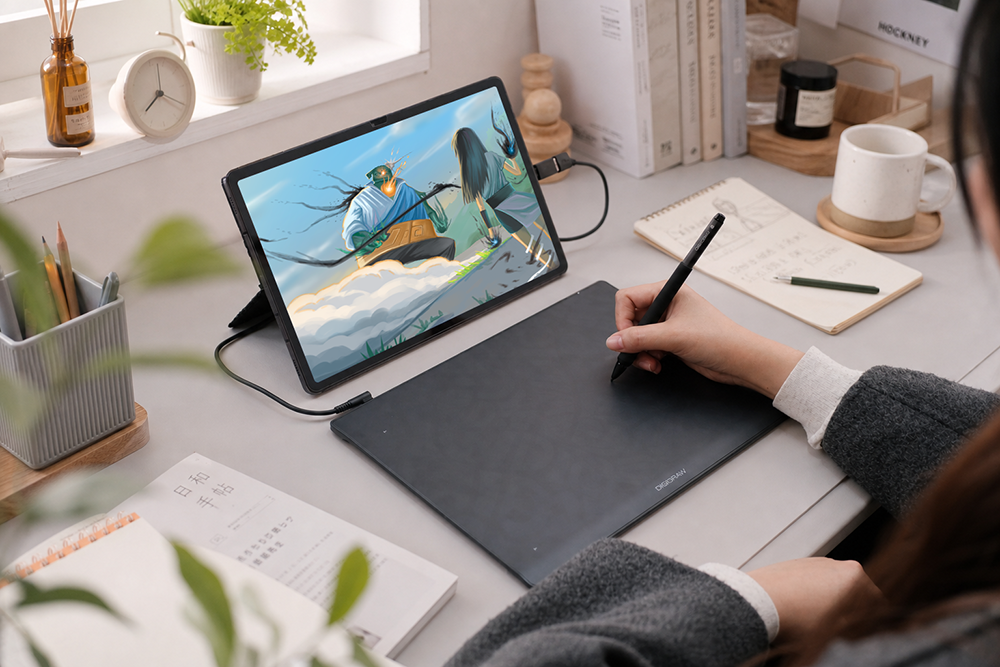
DigiDraw Turing Basic S/M: An Entry-Level Option for Students
The DigiDraw Turing Basic S and Turing Basic M are designed as straightforward pen-tablet options for creators who want to begin working with digital art without moving immediately into a more expensive pen display.
The Basic series focuses on essential digital drawing functionality, making it suitable for students, beginners, online learning, digital illustration practice, and everyday creative work.
The tablets combine a slim form factor with a paper-like surface experience designed to provide more controlled pen movement. The battery-free Magic Pen 3.0 provides 16,384 levels of pressure sensitivity, giving students responsive control when practicing line work, sketching, shading, and illustration.
For students primarily looking for an affordable, no-screen drawing tablet, the Turing Basic series represents a practical starting point.
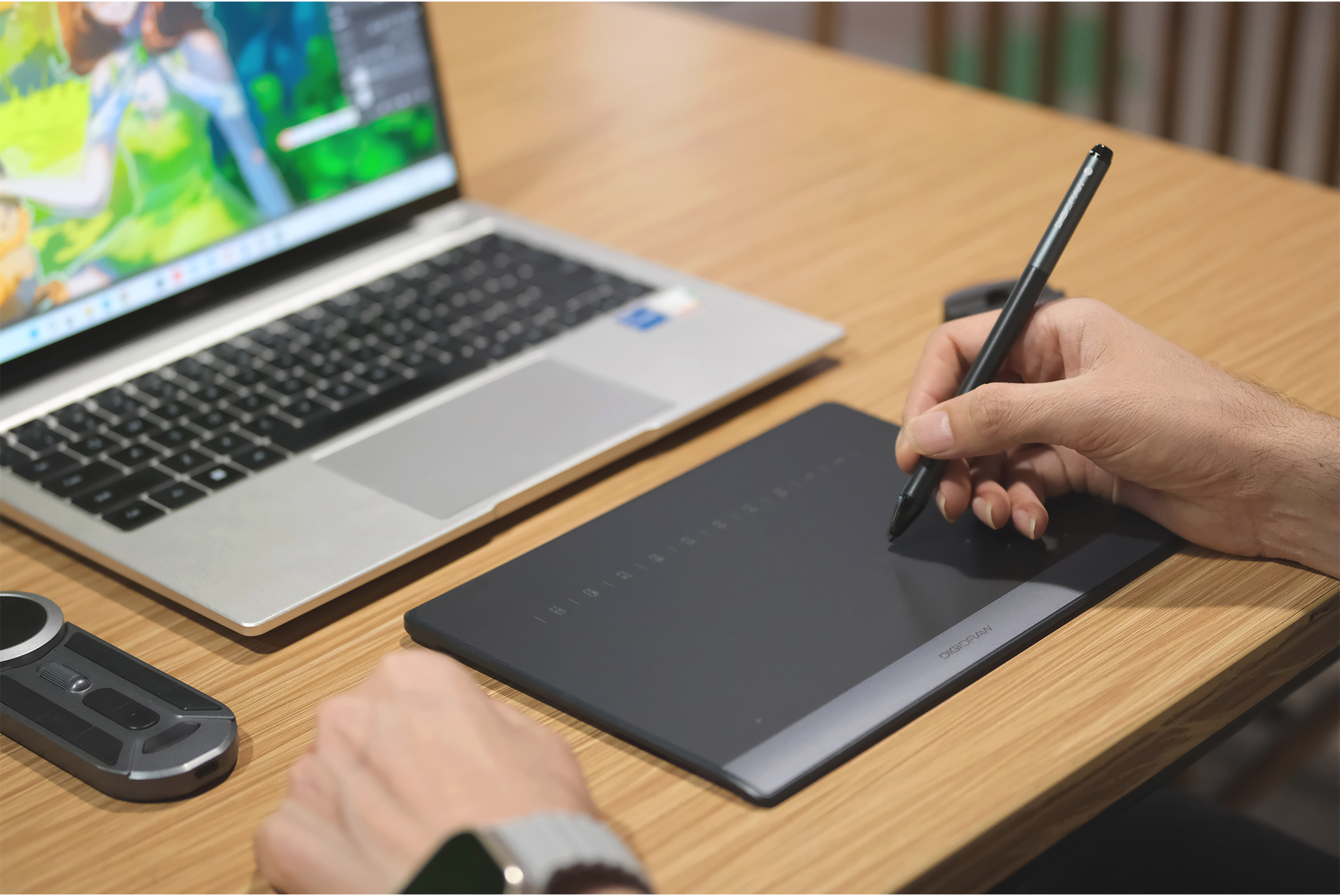
DigiDraw Turing Smart S/M: Wireless Flexibility for Students
Students who need greater flexibility may consider the DigiDraw Turing Smart S and Turing Smart M.
The Turing Smart series adds wireless Bluetooth connectivity to the traditional pen-tablet workflow, making it suitable for students who move between different workspaces or want to reduce cable clutter.
The Turing Smart S, for example, uses Bluetooth 5.0 connectivity and a 1300mAh battery rated for up to 30 hours of continuous use. Its wireless functionality can make it convenient for students working between home, classrooms, libraries, and other study environments.
The series also incorporates features designed to streamline creative workflows. PenTap Quick Launch provides one-tap actions for tasks such as switching tracks, opening applications, or saving files.
The M3 Digital Pen uses MagicPen 3.0 technology and 16,384 levels of pressure sensitivity, providing responsive control for sketching, digital illustration, and other creative applications.
For students who want more flexibility than a basic wired tablet provides, the Turing Smart series offers an additional option without requiring a move directly into a pen display.
Why DigiDraw Is More Than a New Tablet Brand
The growing number of drawing-tablet brands can make it difficult for students, beginners, and first-time buyers to determine which products are backed by meaningful industry experience. While DigiDraw is relatively new in the global consumer market, its product development is supported by professionals with extensive experience in digital input technology, engineering, and pen-tablet product development.
The brand’s founder and product leadership bring substantial industry experience, including engineering, product development, and involvement in the founding and product leadership of HUION. This background provides practical knowledge of how digital drawing hardware is engineered, developed, tested, and brought to market.
The R&D team behind DigiDraw similarly brings hands-on engineering and product-development experience to the brand. Its approach combines technical expertise, practical knowledge of creator workflows, and close study of existing pen-tablet technologies and competing products in the market.
This combination of industry experience and technical expertise gives DigiDraw a foundation for developing digital drawing tools around practical creative needs rather than specifications alone. For artists, students, designers, and other creators, that experience provides useful context when considering DigiDraw alongside both established and emerging drawing-tablet brands
DigiDraw's Approach to Product Development
The development of digital drawing technology involves more than adding specifications to a product sheet.
Pen response, surface texture, pressure sensitivity, ergonomics, connectivity, software compatibility, and overall workflow all affect how a creator experiences a tablet.
DigiDraw's product development approach combines technical expertise with practical industry experience and competitive study of existing brands and technologies.
This helps explain why the company's product range spans different use cases, from entry-level pen tablets designed for students and beginners to wireless models and larger pen displays intended for more advanced creative work.
For budget-conscious students, this product-development background can be useful when evaluating DigiDraw alongside other established and emerging drawing-tablet brands.
Useful Add-Ons for a Student Drawing Setup
A few accessories can extend the usability of a drawing tablet without requiring an immediate upgrade to a more expensive device.
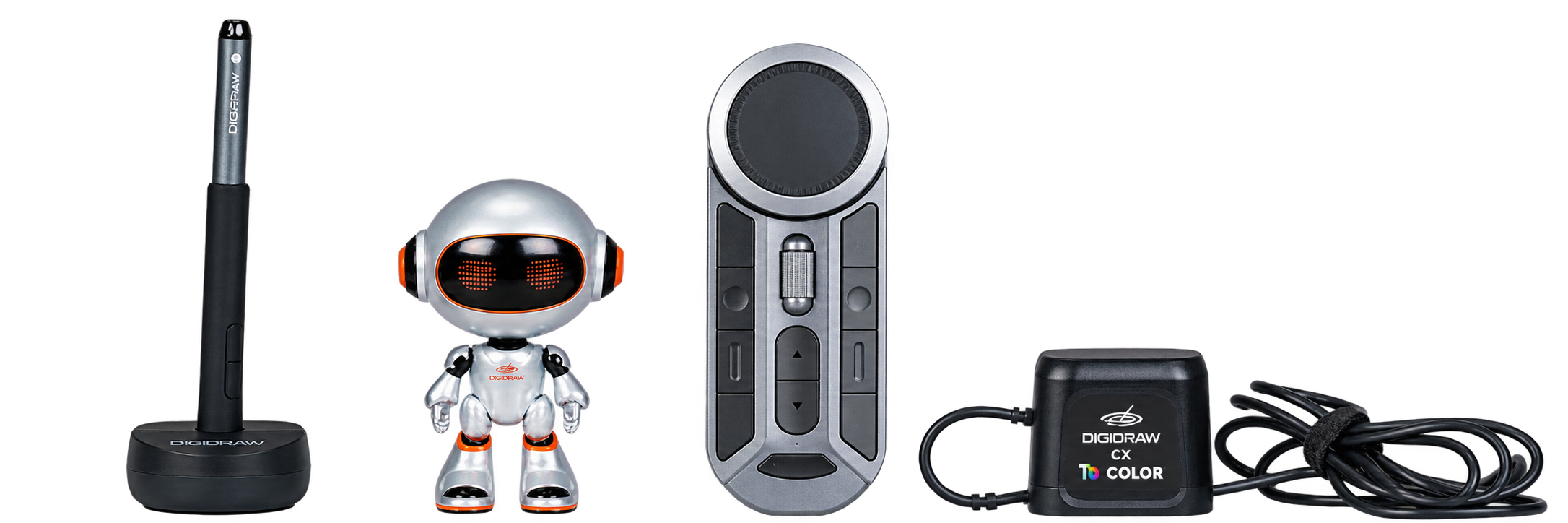
The Turing KDial K30 Wireless Remote offers 11 physical buttons, dual encoders, and virtual keyboard functionality, providing shortcut controls for creative software.
The PH01 Pen Holder stores eight replacement nibs and includes a nib extractor, helping students keep replacement pen tips organised.
Drawing gloves such as the GL01 and GL03 can reduce surface friction and help minimise smudging during longer drawing sessions.
These accessories are not essential for every student, but they can be useful additions for students building a more complete digital art workspace.
When Is a Pen Display Worth the Upgrade? DigiDraw Turing 14 2.5K
Students who progress beyond basic sketching may eventually prefer a pen display that allows them to draw directly on the screen.
The DigiDraw Turing 14 2.5K is a portable 13.3-inch 2.5K IPS pen display with a 16:10 aspect ratio, Delta E colour accuracy under 1.5, and PaperLike Surface 3.0 for reduced screen glare.
It is positioned for digital illustration, game design, and concept art rather than as a basic entry-level pen tablet.
For students developing more advanced portfolios or pursuing creative coursework, a pen display can provide a different workflow from a traditional screenless tablet. The higher cost makes it less suitable for every student, but it can represent a potential upgrade path as creative requirements become more demanding.

Which DigiDraw Tablet Is Right for a Student?
Different students have different priorities, so there is no single tablet that is ideal for everyone.
For students on the tightest budget:
The Turing Basic S provides a straightforward entry point into digital drawing.
For students who want more workspace:
The Turing Basic M provides a larger drawing area while maintaining the core pen-tablet workflow.
For students who want wireless connectivity:
The Turing Smart S provides Bluetooth connectivity and extended battery life for greater flexibility.
For students who want wireless connectivity with a larger workspace:
The Turing Smart M provides a larger format within the Smart series.
For students ready for screen-based drawing:
The Turing 14 2.5K provides a direct-on-screen drawing experience and more advanced display capabilities.
This range allows students to choose according to their current needs rather than paying for features they may not immediately require.
Frequently Asked Questions
What should students look for in a budget drawing tablet?
Students should consider price, pressure sensitivity, pen response, drawing area, surface texture, compatibility, portability, durability, and the total cost of accessories. The right balance depends on how the tablet will be used for schoolwork and digital art.
Are budget drawing tablets good for beginners?
Yes. A budget pen tablet can provide the essential tools needed to learn digital drawing, illustration, sketching, and creative software without requiring the cost of a professional pen display.
Is a pen tablet or pen display better for students?
A pen tablet requires users to draw on a separate surface while viewing their computer monitor, while a pen display allows users to draw directly on the screen. Pen displays can feel more intuitive to some artists but generally require a higher investment.
Does pressure sensitivity matter for beginners?
Yes. Pressure sensitivity affects how naturally line thickness responds to pen pressure. DigiDraw models using 16,384 levels of pressure sensitivity are designed to provide nuanced control for sketching, shading, and digital illustration.
Are wireless drawing tablets useful for students?
Wireless tablets can be useful for students who frequently move between workspaces. Models such as the DigiDraw Turing Smart S/M provide Bluetooth connectivity and can reduce cable clutter during everyday creative work.
Is DigiDraw suitable for students and beginners?
DigiDraw offers several drawing tablets designed for different creative needs, including entry-level Basic models and wireless Smart models. The range allows students and beginners to choose based on their budget, workspace, and desired features.
Why consider DigiDraw when choosing a budget drawing tablet?
DigiDraw combines affordable creative hardware with product development experience from professionals with extensive backgrounds in digital input technology and pen-tablet development. Its range includes entry-level, wireless, and pen-display options, allowing students to choose a model based on their current creative requirements.
Conclusion
Choosing the best budget drawing tablet for students ultimately depends on finding the right balance between price, performance, comfort, compatibility, and future creative needs.
Entry-level pen tablets can provide everything a beginner needs to start learning digital art, while wireless models can add flexibility for students who work across different environments. Students who eventually move into more advanced illustration, game design, or portfolio work may consider upgrading to a pen display.
DigiDraw provides options across these different stages, from the Turing Basic series to the wireless Turing Smart range and the Turing 14 2.5K pen display.
More importantly, DigiDraw's position in the market is supported by an R&D and product-development team with substantial industry experience. The brand's engineering and product expertise, combined with practical knowledge of existing digital drawing technologies and competitive products, provides a foundation for developing tools around real creative workflows.
For students looking for affordable digital art tools in 2026, DigiDraw is therefore worth considering alongside other drawing-tablet brands — particularly for buyers who want to balance budget, creative performance, usability, and room to grow.
https://www.digidraw.com/
Turing Creative Technology (Shenzhen) Co., Ltd.


Happy
0 %

Sad
0 %

Excited
0 %

Sleepy
0 %

Angry
0 %

Surprise
0 %
 0
0
 0
0

Average Rating